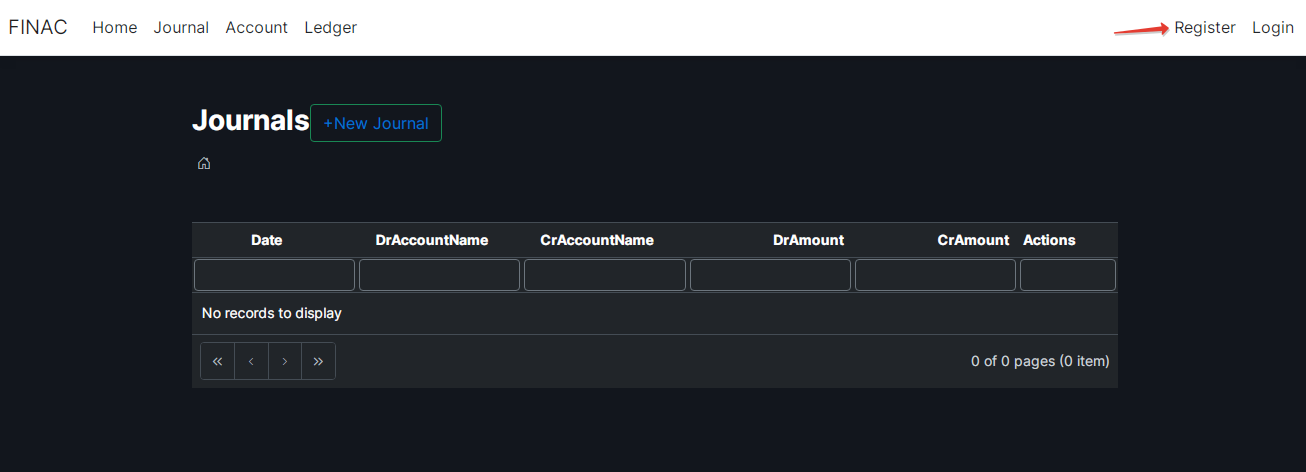
When you started off please register if you are in the first time for this please press
"Register" in right top corner of th site. If you've already registered then please login by press Login.
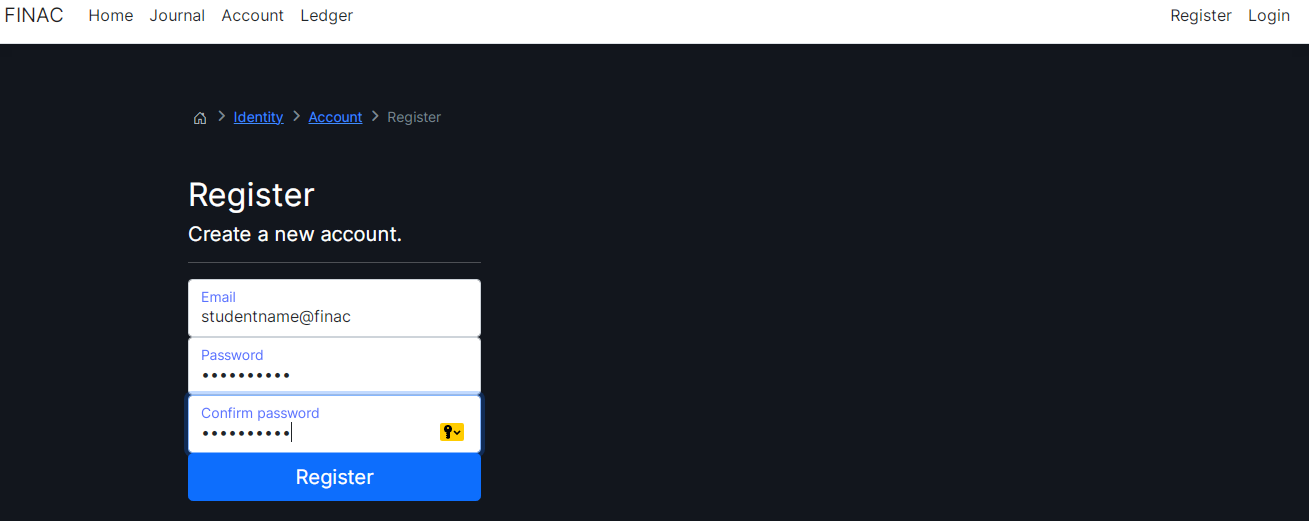
Please enter Username (you can use any main should be formart xxxx@xxx for example studentname@finac),
Password and Confirm Password and press button Register.
Please remember Password. We switch off recover a forgotten password. If you forgot you will create your
records again.
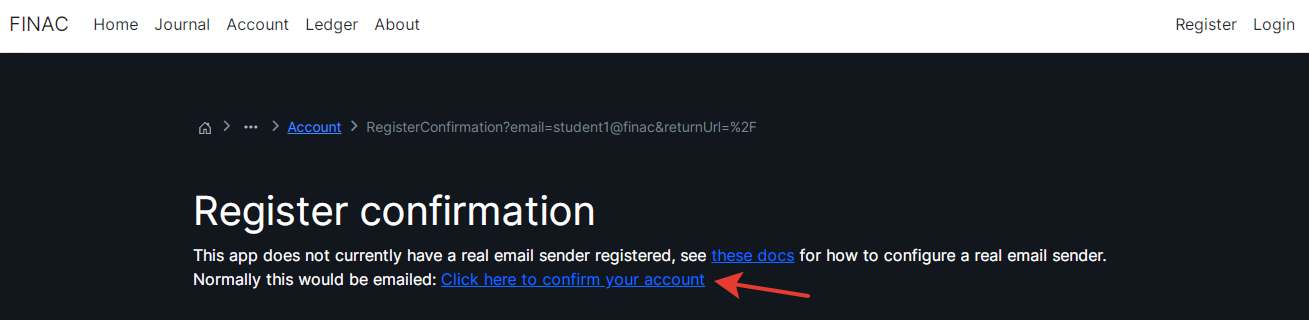
Please click here where is "Click here to confirm your account" to confirm your account. Future may be
we will add the feature of your accout confirmation by email.
After successful registration, you can see this and you can add records to your journal.
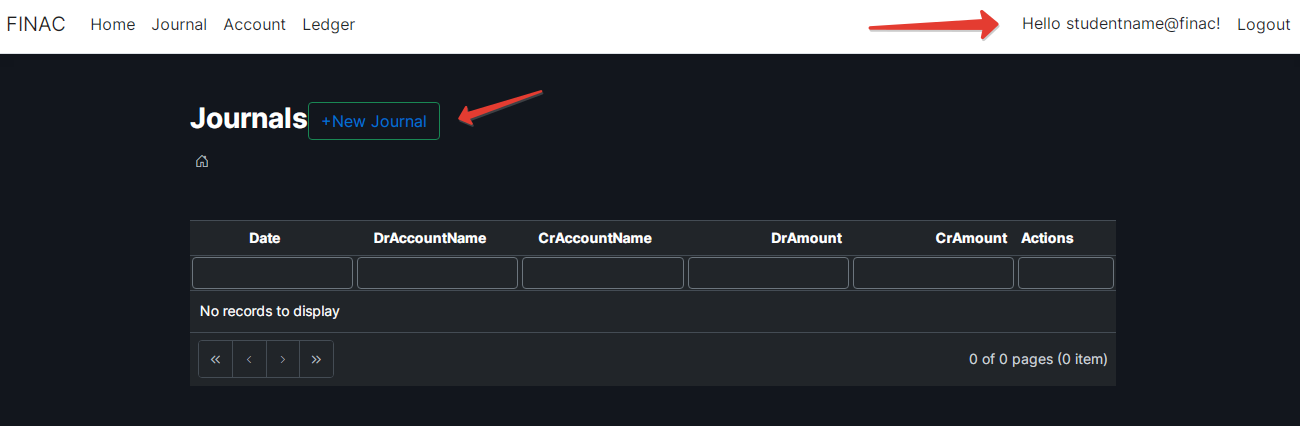
Plese choose "Journal" in menu and Journal picture will be opened.
You can add "New Journal", edit and delete by buttons located in each record.
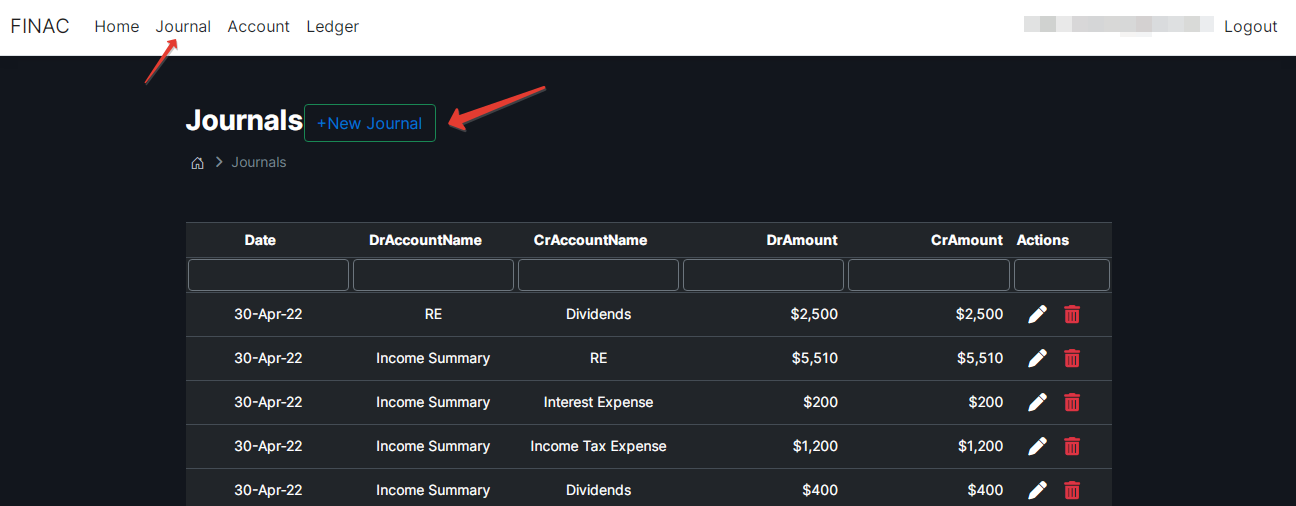
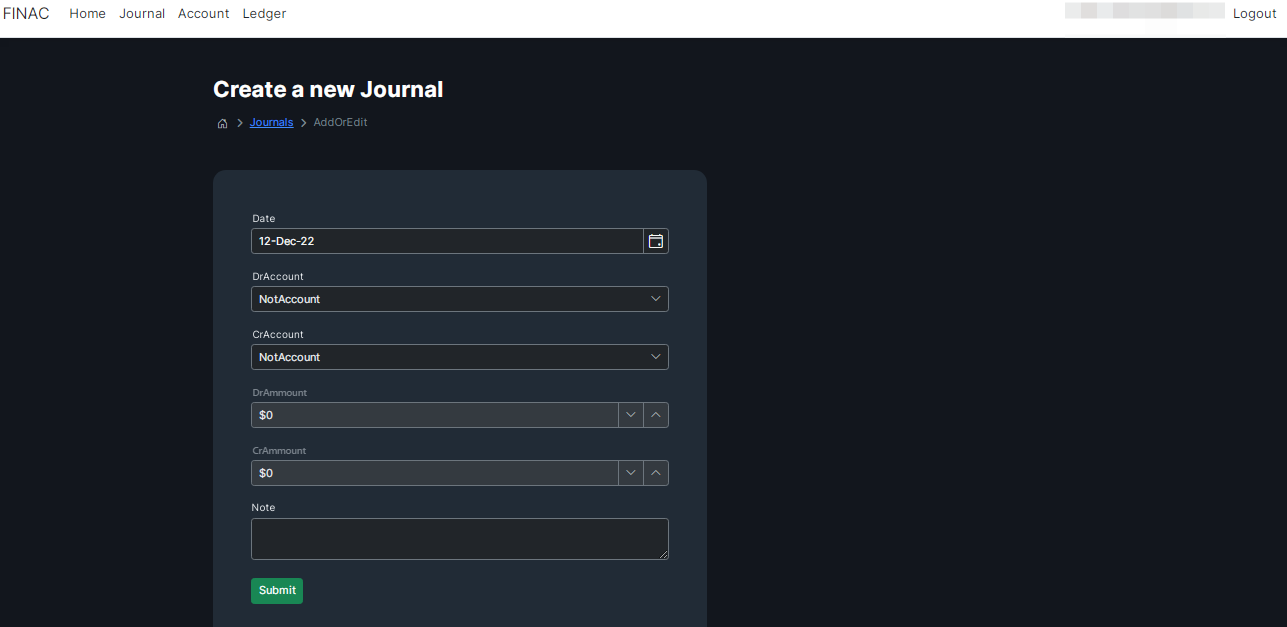
If you pressed "+New Journal" button the below window wiil be opened.
You can choose date, credit account "CrAccount", debet account "DrAccount" and ammounts, note.
Please save record by pressing Sumbit button.
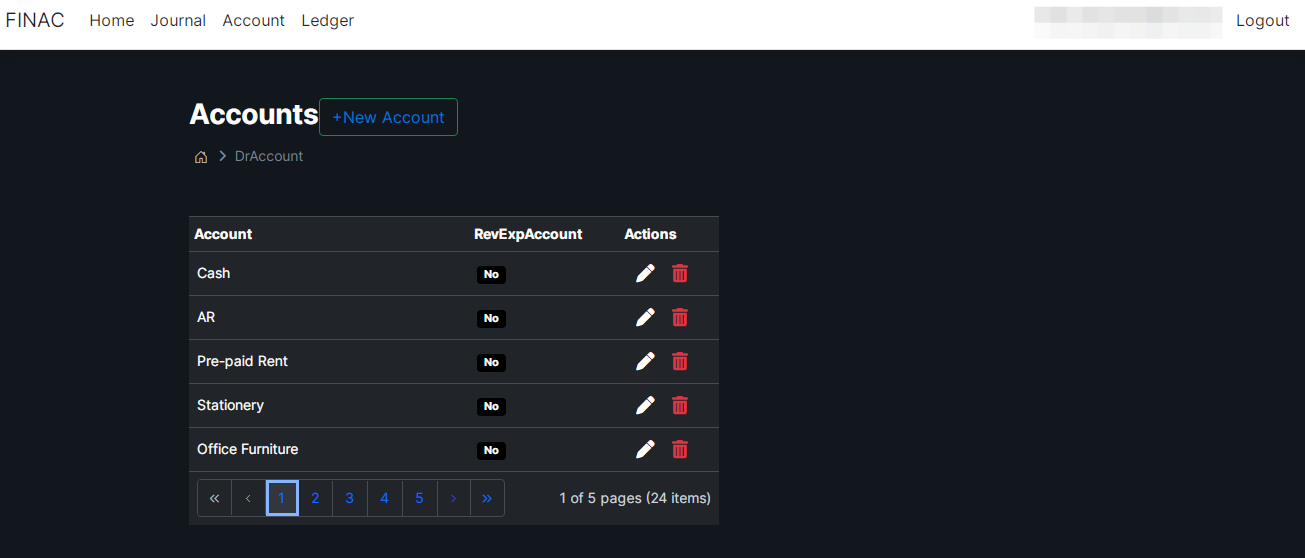
If you pressed "Account" in menu the page of account reference will be opened.
The refernce is only avalaible for teacher - in the system there is user by teacher role.
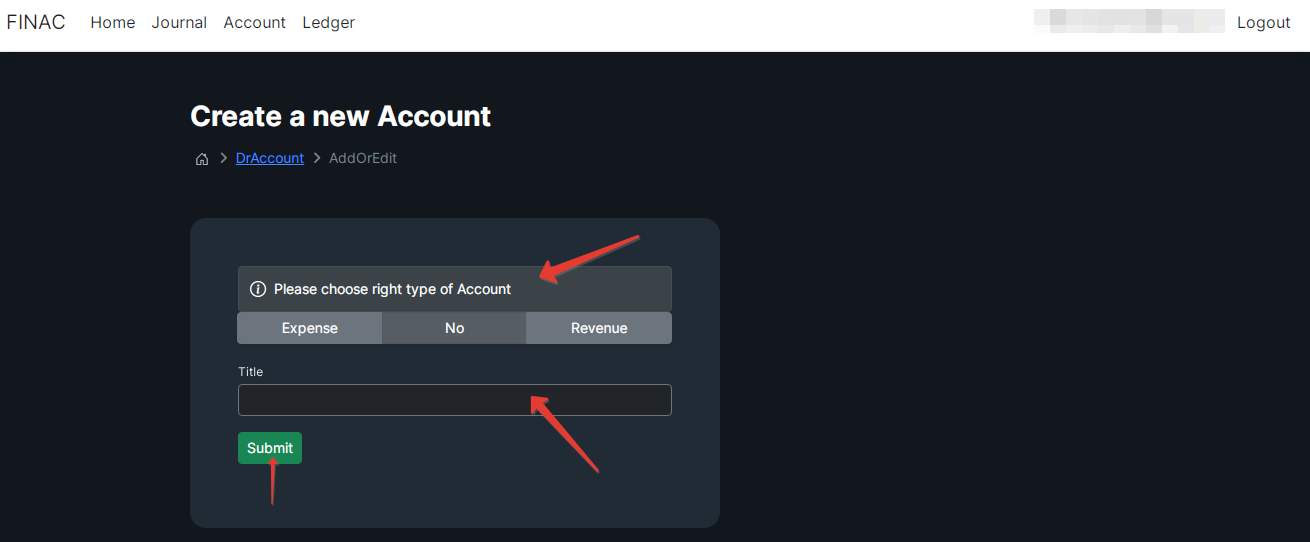
If you pressed "+New Account" button the below window wiil be opened.
The teacher can choose Type of an account (Expense or No or Revenue) and input of the title of the account.
Please save record by pressing Sumbit button.
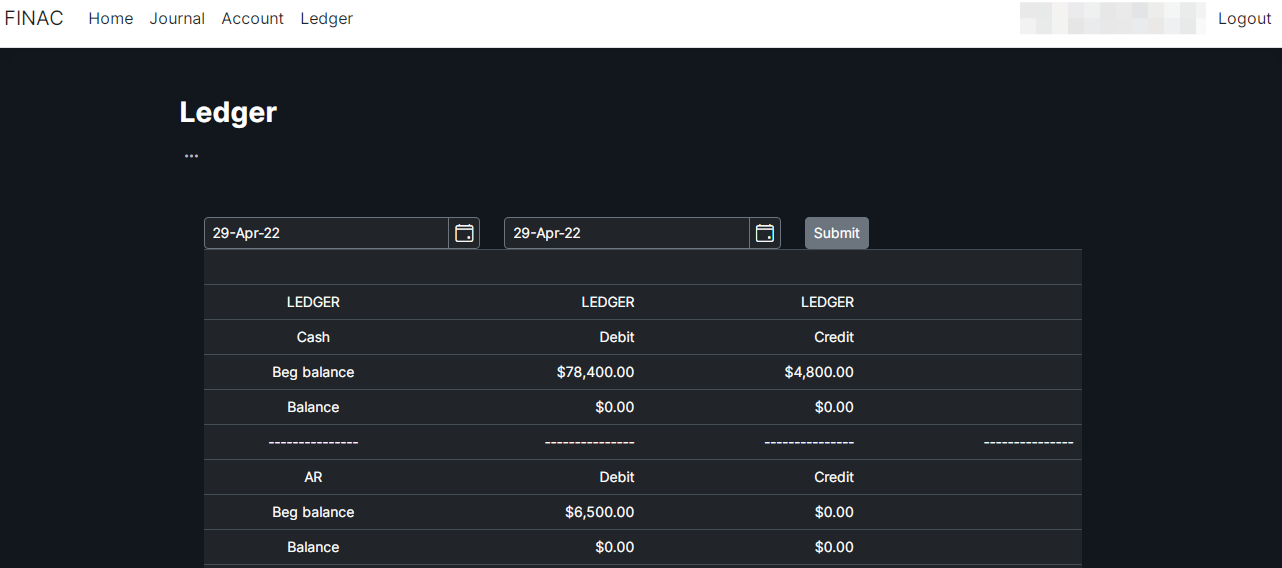
If you pressed "Ledger" in menu the page of Ledger will be opened.
You can select a period of Ledger, Balance and Income Statement.
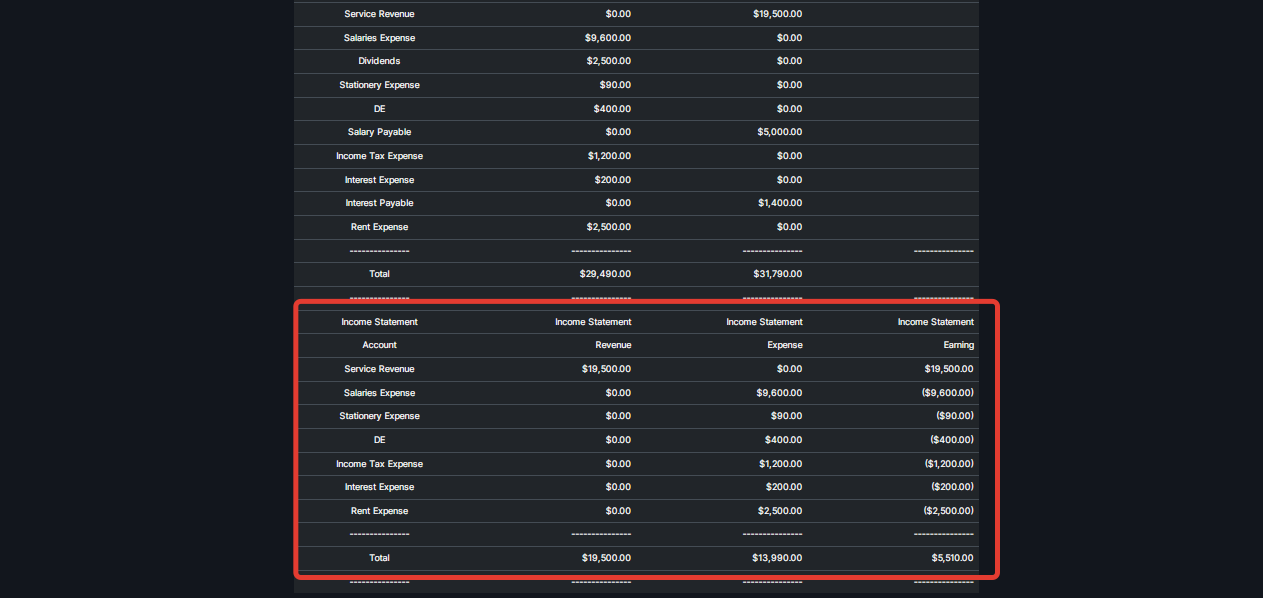
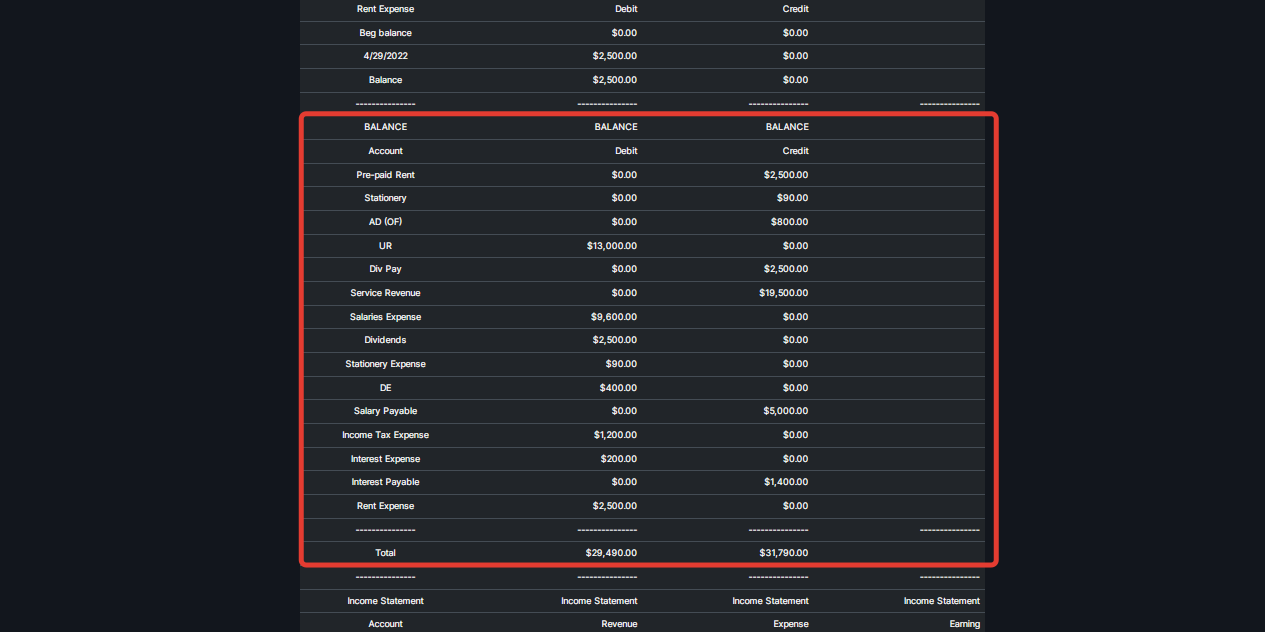
Please press Sumbit button to generate Ledger, Balance and Income Statement - see below.
Balance
Income Statement